0.3.0: ivx/ai Chat on Android
ivx/ai Chat runs on your phone now. 0.3.0 is the first release with an Android build: a signed APK on the releases page, for Android 7.0 and newer.
The same app, not a companion
This isn't a cut-down version. It's the chat client from ai.ivx.run/chat and the desktop apps, with the same providers, agents and settings. As on every other platform, your conversations and keys stay on the device and go nowhere but the provider you picked.
What it adds over opening the site in your phone's browser is the bridge. Ollama, LM Studio and a plain llama.cpp server all refuse requests from a web page, so in a browser they need the bridge running alongside. The Android app carries the bridge inside it, so pointing the phone at the model on your desktop or home server is just a matter of typing its address, as long as that machine accepts connections from your network.
Installing it
Download the APK from the releases page:
-android-arm64-v8a.apkfits nearly every phone from the last several years.-android-universal.apkfits all of them, at about three times the size. Take it if you aren't sure.
The first time, Android asks you to allow installs from your browser or file
manager. The APK is signed with our own key rather than a store's, and the
release notes list the certificate's SHA-256 fingerprint so you can check a
download with apksigner verify --print-certs. It isn't on Google Play or
F-Droid yet.
Also in 0.3.0
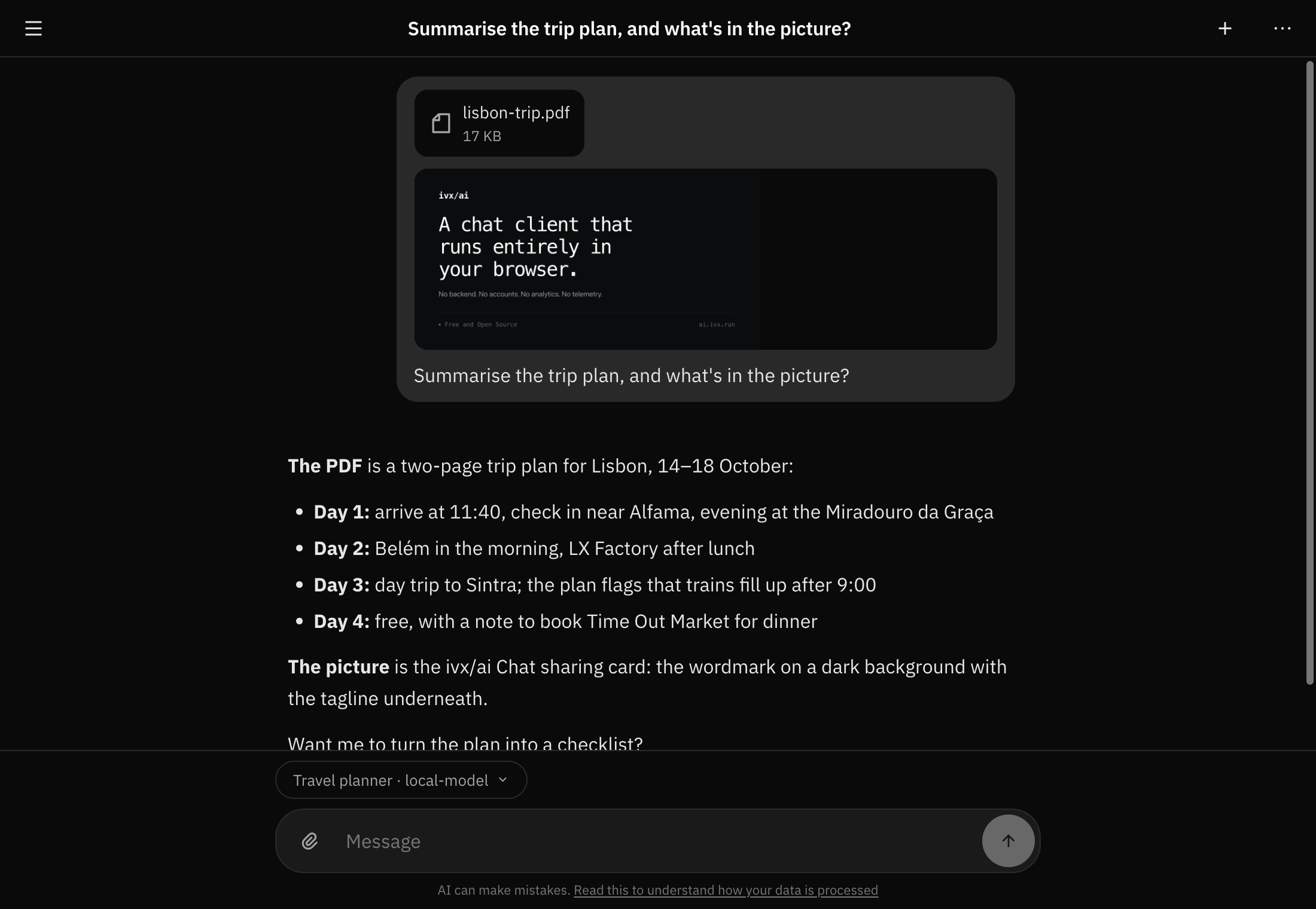
Attachments
Attach pictures, PDFs, text files, audio and video to a message. Each file goes to the model in the form it can actually read: a picture as a picture, a PDF as a document where the provider supports it, text as text. A file the model can't read, like a video for most of them, is described by name and the model is told its contents weren't included, so it can't pretend it watched it. Attachments are stored on your device alongside the chat.
@-mentions
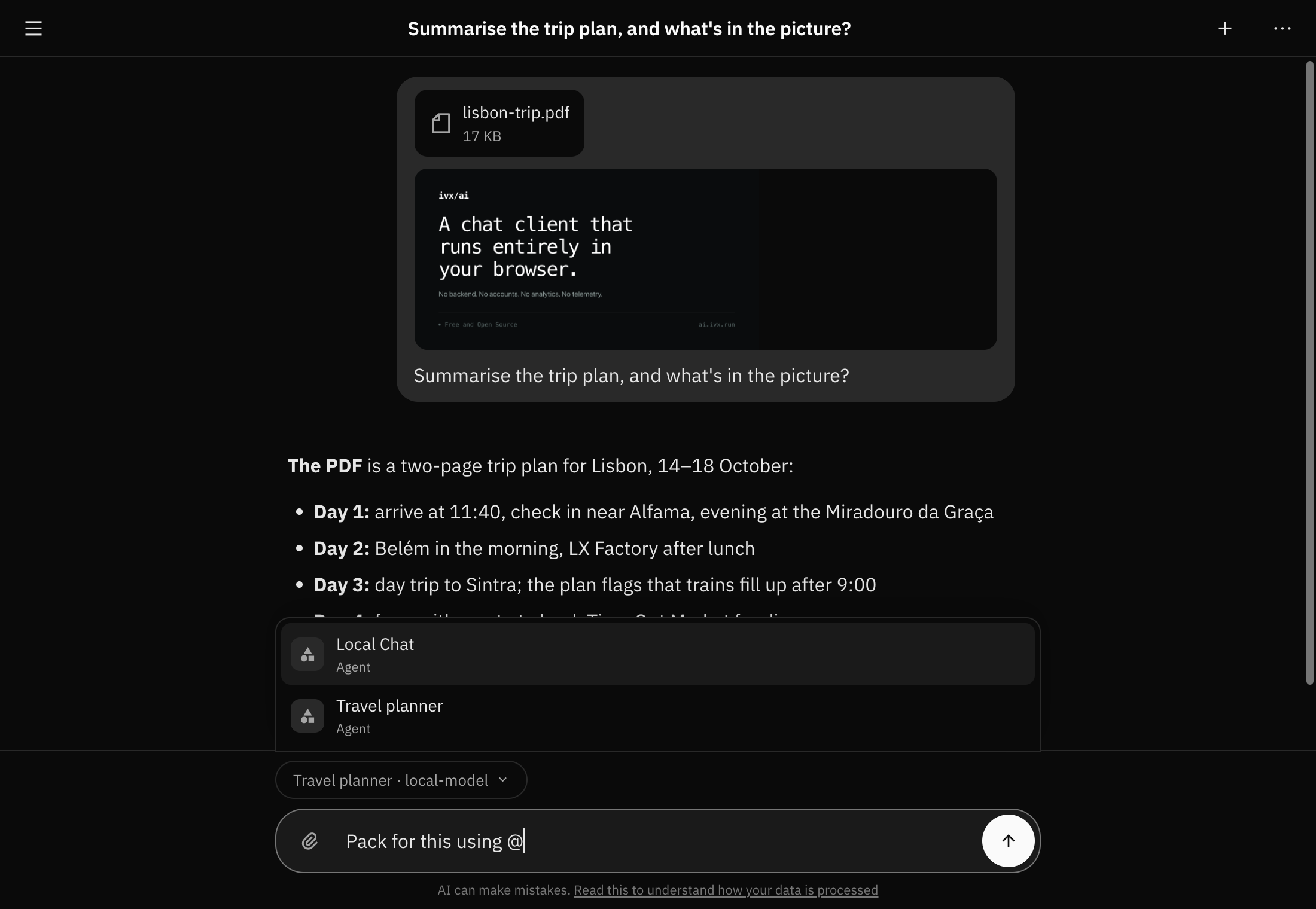
Type @ in the message box to bring in one of your agents or another chat.
In the browser extension you can also mention an open tab, and the model can
then read that page or take a screenshot of it. Only tabs on sites you've
allowed are listed.
Page tools in the browser extension
The extension is now on the Chrome Web Store and Firefox Add-ons. Select text on a page to summarize, translate or ask an agent about it. Focus a text field and an agent can write into it, with only the draft landing in the field rather than the whole reply. Page tools are off until you add a site in Settings → Page tools, and they never touch password fields.
Sign-in for MCP servers
Hosted MCP servers that require you to sign in now work. The sign-in happens in your browser, on the server's own page.
Smaller things
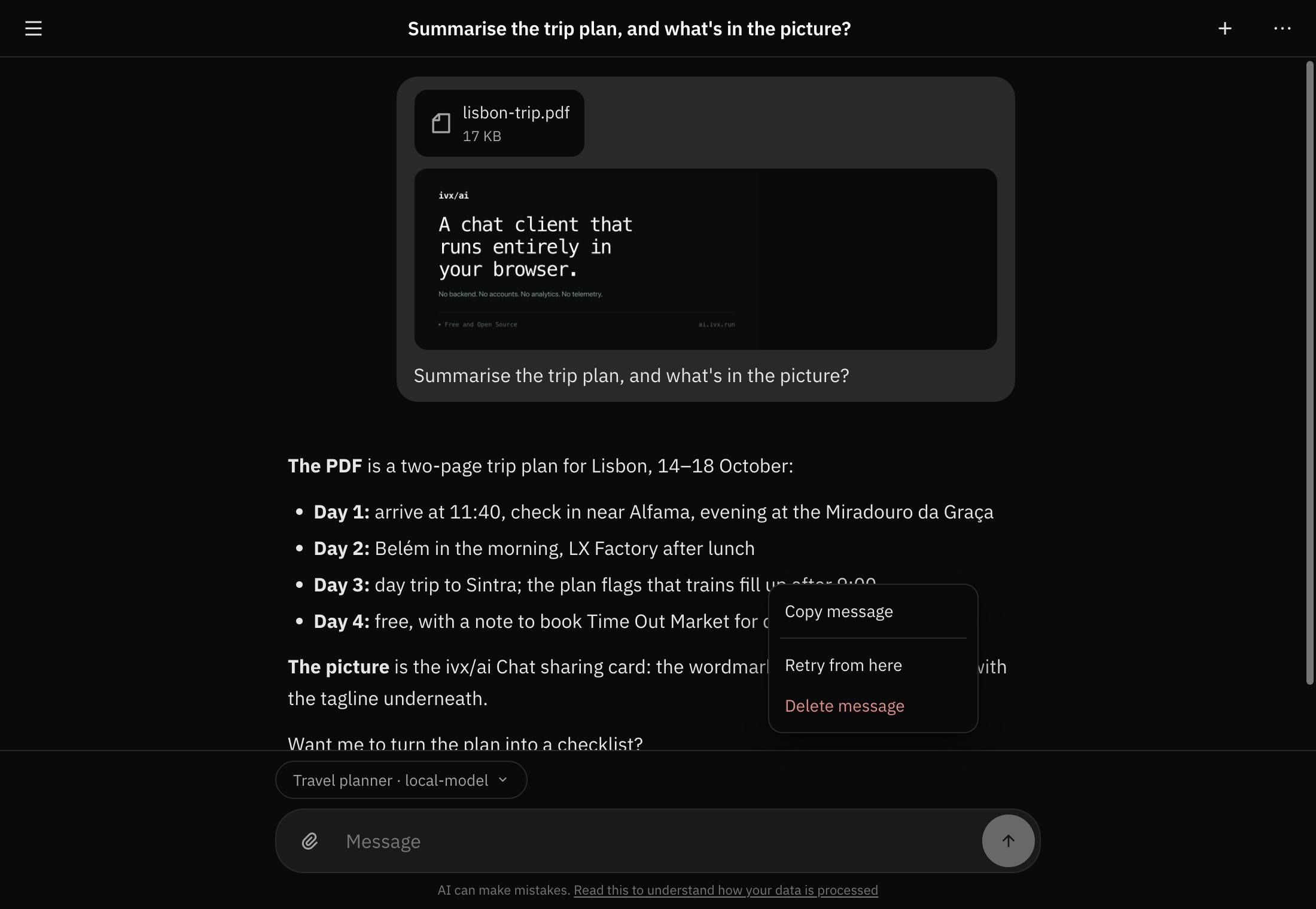
- Right-click menus throughout: copy or quote a selection, copy code or a link, retry or edit a message, save an attachment, rename a chat.
- Two new hosted providers: ivx/ai (Workers AI) and ivx/ai Pool.
- A hosted bridge, as a fallback for when the bridge can't run on your own machine.
- The bridge is now called
ivxai-bridge. See below if you have an older one installed.
If you have an older bridge installed
The bridge used to be called ivx-bridge, and it won't get updates under that
name. An old one keeps working with this release, but please remove it and
install ivxai-bridge in its place.
With Homebrew:
brew services stop ivx-bridge      # only if you started it as a service
brew uninstall ivx-bridge
brew install ivxai-bridge
brew services start ivxai-bridge   # only if you want it running as a service
If you installed it from the releases page and set it up with
--install-service, remove that service first, then delete the old binary:
ivx-bridge --uninstall-serviceThen take ivxai-bridge from the
release page and, if
you want it running in the background, run ivxai-bridge --install-service.
The full list, and every download, is on the release page.